I Developed a Music Album Cover Search Tool - CoverCay
The Origin: A Music Lover's Pain Point
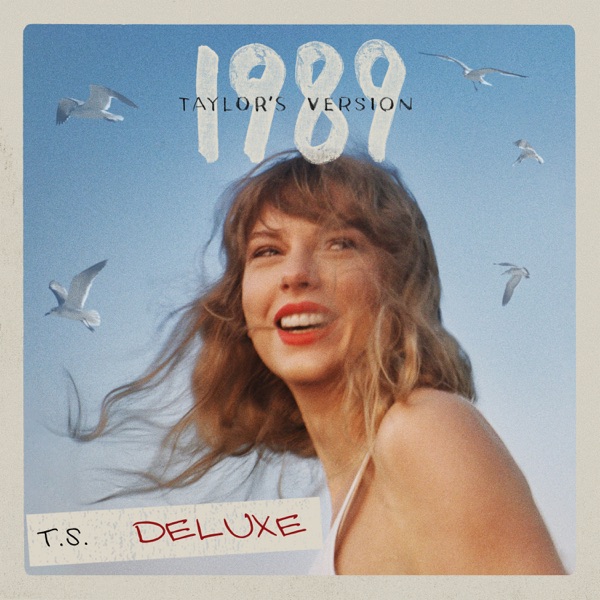
As a music enthusiast, I recently encountered a common yet frustrating problem while building my personal music library: many downloaded music resources were missing album covers. While this might seem like a minor issue, for someone pursuing a perfect music collection, having complete album covers not only makes playlists more visually appealing but is also an important part of the music experience.
CoverCay Interface Preview

CoverCay features a clean, modern design with support for both dark and light themes. The interface is intuitive and user-friendly, with main functional areas including the search form, results display, and action buttons.
Interface display: Multi-region selection, resolution settings, and batch operations support
Attempted Solutions and Their Insufficiencies
1. Search Engine Method
Initially, I tried finding album covers through search engines. This method, while simple, had several obvious problems:
- Inconsistent Quality: Found images had varying resolutions, many were low-quality thumbnails
- Troublesome Downloads: Required individually clicking to view, manually saving, with low efficiency
- Inaccurate Information: Often searched for incorrect covers, especially for albums with the same name or different versions
2. Limitations of Existing Tools
There are indeed some music cover search tools on the market, but during usage I found:
- Poor User Experience: Outdated interface design, complex operation flow
- Limited Functionality: Most only support basic searching, lacking advanced options
- Regional Restrictions: Unable to get album version covers from specific countries/regions
- Ad Interference: Too many advertisements affected the user experience
The Birth of CoverCay
Based on these pain points, I decided to develop my own dedicated music album cover search tool—CoverCay.
Core Design Philosophy
- Simple and Efficient: Clean, intuitive interface, simple and clear operation flow
- Quality First: Based on Apple Music's high-quality resource library, ensuring cover quality
- User-Friendly: Supports multiple usage scenarios, meeting different user needs
Technical Implementation
CoverCay is built using the Apple Music API with the following technical features:
Multi-Region Support
The tool supports Apple Music stores from multiple countries/regions, including:
- 🇺🇸 United States
- 🇨🇳 China Mainland
- 🇭🇰 Hong Kong
- 🇹🇼 Taiwan
- 🇯🇵 Japan
- 🇬🇧 United Kingdom
- 🇦🇺 Australia
- 🇨🇦 Canada
- 🇩🇪 Germany
- 🇫🇷 France
This means you can find album cover versions released in different regions, as some albums may have different cover designs in various countries.
High-Resolution Options
Multiple cover sizes are available:
- 600×600 - Suitable for general use
- 1200×1200 - High definition
- 1400×1400 - Ultra high definition
- 1500×1500 - Extreme high definition
- 1600×1600 - Close to original quality
- 1800×1800 - Professional grade quality
- 2000×2000 - Highest available resolution
Multi-Media Type Support
In addition to traditional album covers, CoverCay also supports:
- Single Covers: For independently released singles
- Album Covers: Complete album cover art
- Music Video Covers: Thumbnails for music videos
Core Features
- Support for song names, album names, and artist names search
- Click to Copy: Directly click on covers to copy to clipboard, supporting direct pasting in documents or chats
- Perfectly adapted for desktop, tablet, and mobile
- Optimized experience for Apple devices
- Support for touch gesture operations
Real Use Scenarios
Scenario 1: Organizing Local Music Library
When organizing my local MP3 files, CoverCay helped me quickly find corresponding high-quality album covers for songs missing artwork, making the entire music library look more professional and complete.
Scenario 2: Making Playlists
When making music playlists for friends, unified cover styles make the entire playlist more aesthetically pleasing. CoverCay allowed me to quickly get covers for all songs, creating beautiful playlists to share.
Scenario 3: Content Creation
As a content creator, when producing music-related content, I need to use high-quality album covers as accompanying images. The high-resolution covers provided by CoverCay fully meet the production needs of videos and articles.
Summary
If you also frequently need to manage music resources or have needs for high-quality music covers, give CoverCay a try:
🔗 Tool Link: /music-cover 🔗 Chinese Version: /zh-cn/music-cover
Communication and Feedback
CoverCay is continuously being improved. If you encounter any issues during use or have feature suggestions, feel free to leave comments in the comment section, or contact me through:
- Submit Bug reports
- Feature suggestions and requirements
- User experience sharing
- Technical exchange discussions
I hope CoverCay can help more music enthusiasts make music resource organization simpler and more efficient!
Leave a Comment
No comments yet. Be the first to share your thoughts!